miércoles, 11 de abril de 2018

WINDOWS. PS. What is my public IP. Check Internet

If you need check what is you internet ip connection, you can use

command:  irm ipinfo.io


If you want contrast this info, there are some webs that offer similar information service


To check my computer internet connection.

Command: Test-NetConnection -InformationLevel Detailed


Check at Windows 2012R2 & W10
by GoN | Published: April 11, 2018 | Last Updated:April 12, 2018

martes, 3 de abril de 2018

WINDOWS. GPO. Example Audit Files and folders


[ ] Create GPO: (gpmc.msc)


[ ] Assign GPO ot OU


[ ] Configure the diferents checks audits

Go to resource


[ ] To force check server: GPUPdate /force

[ ] To view audits events, in the Security tab


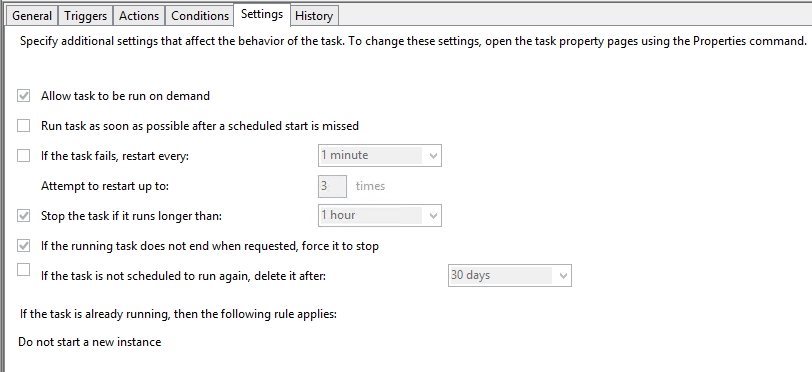
You can configure one task to send one email alert when success this events


The ID to monitoring:

Get-EventLog -LogName Security -InstanceId 4663 -Newest 1


The script:

$SmtpServer = "10.10.10.10"
$To = "Support@MYCOMPANY.ES"
$From = "NAS_Alert@MYCOMPANY.ES"

if (!(Get-EventLog -LogName Security -InstanceId 4663 -Newest 1 | Where {$_.message -like "*C:\*"}))
{
$Event = Get-EventLog -LogName Security -InstanceId 4663 -Newest 1 

# Store the newest log into email body 
$EmailBody= "** Script generado en FILE_SERVER01 cada vez que se accede a un recurso compartido **" + "`r`n`t" + "===================================================" + "`r`n`t" + "Fecha y Hora: " + $Event.TimeGenerated + "`r`n`t" + "===================================================" + "`r`n`t" + " Mensaje: " + "`r`n`t" + " " + "`r`n`t" + $Event.Message

# Email subject 
$EmailSubj= "MYCOMP NAS - FILE_SERVER01 - Access to Infrastructure Folder" 

# Create SMTP client 
$SMTPClient = New-Object Net.Mail.SMTPClient($SmtpServer)   
# $SMTPClient.EnableSSL = $true  

# Get the credetials 
# $SMTPClient.Credentials = New-Object System.Net.NetworkCredential($UserName, $PassWord);  

# Create mailmessage object  
$emailMessage = New-Object System.Net.Mail.MailMessage 
$emailMessage.From = "$From" 
Foreach($EmailTo in $To) 

$emailMessage.To.Add($EmailTo) 

$emailMessage.Subject = $EmailSubj 
$emailMessage.Body = $EmailBody 

# Send email 
$SMTPClient.Send($emailMessage)
}


The result


Check at Windows 2012R2 
by GoN | Published: Mach 23, 2018 | Last Updated:

miércoles, 14 de marzo de 2018

WINDOWS. AUDIT. PingCastle

I found a increible tool for a quick and deep audit for my AD. This tool not need install, you can execute with a user without admin privileges and is FREE. This tools is PingCastle https://www.pingcastle.com/

Executing!!

Press Enter!

Ping audit found your domain


Press Enter!

In a few minutes, 1 minute in my case


Press Enter!

And finished.

Now you can to visit the folder where is the PingCastle. This folder have reports with the audit result.

In my AD Test you can view this results

REPORT: ad_hc_domainXX.local.html


There are a lot of work to better the security!! Thank you pingCastle :-)


The report inform you how to check the point and how to solve.


REPORT: ad_gc_summary_bu_analysis.html


REPORT: ad_gc_summary_full_node_map.html


Etc ...


With the commad: PingCastle --hc-conso T you will have a consolidatin report 


There are 2 manual with extended explanations


The official Web have very good explanatios and cases.

This tools have a security and audit report very util and very professional.


Check at Windows 2012R2 and W10
by GoN | Published: Mach 14, 2018 | Last Updated: