jueves, 12 de abril de 2018

WINDOWS. PS. Remote console.

Sometime you need connect to console in other computer. One way to do it...

Command: Enter-PSSession -ComputerName Name_SERVER -Credential user_ADM


One Example with variables:

$selected_host = Read-Host 'Select Host'
$selected_User = Read-Host 'Select Admin user'

Enter-PSSession -ComputerName $selected_host -Credential $selected_User


Check at Windows 2012R2 & W10
by GoN | Published: April 12, 2018 | Last Updated:

miércoles, 11 de abril de 2018

WINDOWS. PS. What is my public IP. Check Internet

If you need check what is you internet ip connection, you can use

command:  irm ipinfo.io


If you want contrast this info, there are some webs that offer similar information service


To check my computer internet connection.

Command: Test-NetConnection -InformationLevel Detailed


Check at Windows 2012R2 & W10
by GoN | Published: April 11, 2018 | Last Updated:April 12, 2018

martes, 3 de abril de 2018

WINDOWS. GPO. Example Audit Files and folders


[ ] Create GPO: (gpmc.msc)


[ ] Assign GPO ot OU


[ ] Configure the diferents checks audits

Go to resource


[ ] To force check server: GPUPdate /force

[ ] To view audits events, in the Security tab


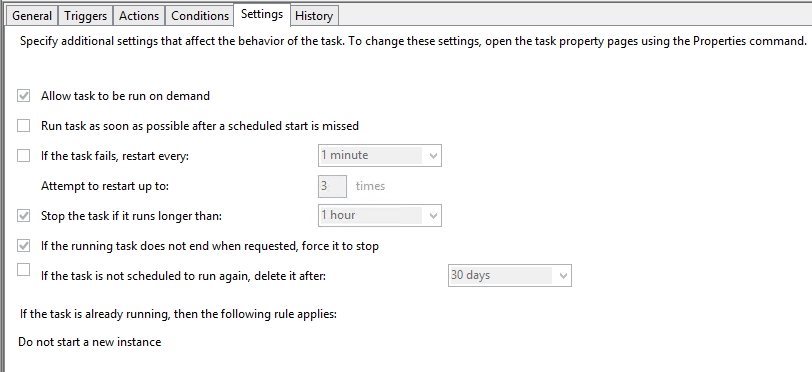
You can configure one task to send one email alert when success this events


The ID to monitoring:

Get-EventLog -LogName Security -InstanceId 4663 -Newest 1


The script:

$SmtpServer = "10.10.10.10"
$To = "Support@MYCOMPANY.ES"
$From = "NAS_Alert@MYCOMPANY.ES"

if (!(Get-EventLog -LogName Security -InstanceId 4663 -Newest 1 | Where {$_.message -like "*C:\*"}))
{
$Event = Get-EventLog -LogName Security -InstanceId 4663 -Newest 1 

# Store the newest log into email body 
$EmailBody= "** Script generado en FILE_SERVER01 cada vez que se accede a un recurso compartido **" + "`r`n`t" + "===================================================" + "`r`n`t" + "Fecha y Hora: " + $Event.TimeGenerated + "`r`n`t" + "===================================================" + "`r`n`t" + " Mensaje: " + "`r`n`t" + " " + "`r`n`t" + $Event.Message

# Email subject 
$EmailSubj= "MYCOMP NAS - FILE_SERVER01 - Access to Infrastructure Folder" 

# Create SMTP client 
$SMTPClient = New-Object Net.Mail.SMTPClient($SmtpServer)   
# $SMTPClient.EnableSSL = $true  

# Get the credetials 
# $SMTPClient.Credentials = New-Object System.Net.NetworkCredential($UserName, $PassWord);  

# Create mailmessage object  
$emailMessage = New-Object System.Net.Mail.MailMessage 
$emailMessage.From = "$From" 
Foreach($EmailTo in $To) 

$emailMessage.To.Add($EmailTo) 

$emailMessage.Subject = $EmailSubj 
$emailMessage.Body = $EmailBody 

# Send email 
$SMTPClient.Send($emailMessage)
}


The result


Check at Windows 2012R2 
by GoN | Published: Mach 23, 2018 | Last Updated: